I have been asked by a few people about virtual bonsai. I like to use photoshop to try different pots on my trees, add foliage or remove a branch. I Did an article for the club website a few years ago about how I did this. For anyone who uses Photoshop already, this won’t interest you. However, if you are new to the software, it should help. The screen shots are from an older version of Photoshop than I use now but the basic layout is still the same. I have reproduced this article below
Creating Virtual Bonsai
Virtual Bonsai is fancy title for changing or creating bonsai images with computer software. This article will hopefully help the uninitiated get involved with this wonderful way of making decisions with your bonsai without having to lift a pair of Branch Cutters.
Dan Barton was one of the first to start using computer software for projecting his ideas for a trees future. Several articles were published in the UK Bonsai Magazine. (Issues 43 –45.) My own introduction to virtuals was on the Internet Bonsai Club Gallery in 2000. I was amazed with the virtual results created from some of the trees I posted to Gallery. I was instantly hooked and set out to learn how to master this very helpful tool.
Getting started
Computer
The most obvious requirement is a computer. Nothing too fancy though, most home computers are quite adequate. Any computer currently on the market will more than suffice.
Software
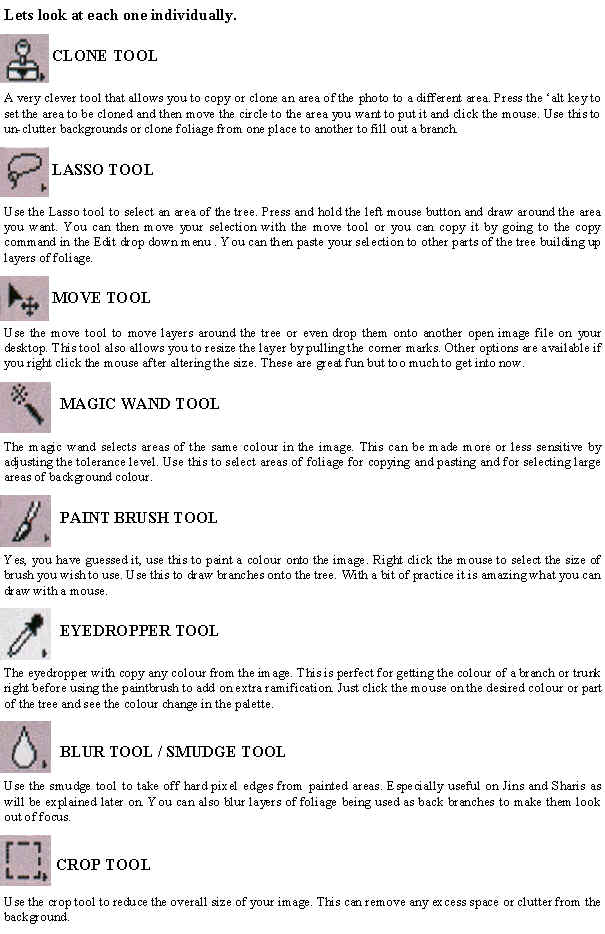
Now you need the software programme that will allow you to alter the Bonsai images. There are lots of these on the market. Most PC’s come with Microsoft Paint, which is a basic programme and will do most things you require it to do and the beauty of it is that you probably already have it. I personally use Adobe Photoshop or Photoshop Elements a smaller and cheaper version without some of the frills. Photoshop is a proven leader in the field and will do everything you need, but don’t take my word for it, try a few programmes out. You will find lots of free demo versions with computer magazines. When you find one you like, stick with it.
Getting the bonsai into the computer?
Scanners
A scanner is a great way to get your hard copy photograph into the computer. I personally scan all my Bonsai Photos and keep them on Disk for future use.
Digital Camera
A digital Camera is the quickest and easiest way to get a bonsai image into the computer. It is an expensive outlay but you will save on getting all those unwanted photos developed. The main benefit is that you can snap the tree in the garden and then pop it straight into the computer and work on it. No waiting for the photos to come back from the Chemist.
Internet
Another way to get bonsai photos to play with is to download them from a website or Gallery. These won’t be your trees but you will learn the same lessons as you would with your own. Why not go to the IBC Gallery and get some photos. When you have played with them you can put them back on the Gallery and see what everyone thinks. A great learning experience.
The following are the main ways you can use computer software to assist with the decision making and styling of Bonsai.
Pot selection
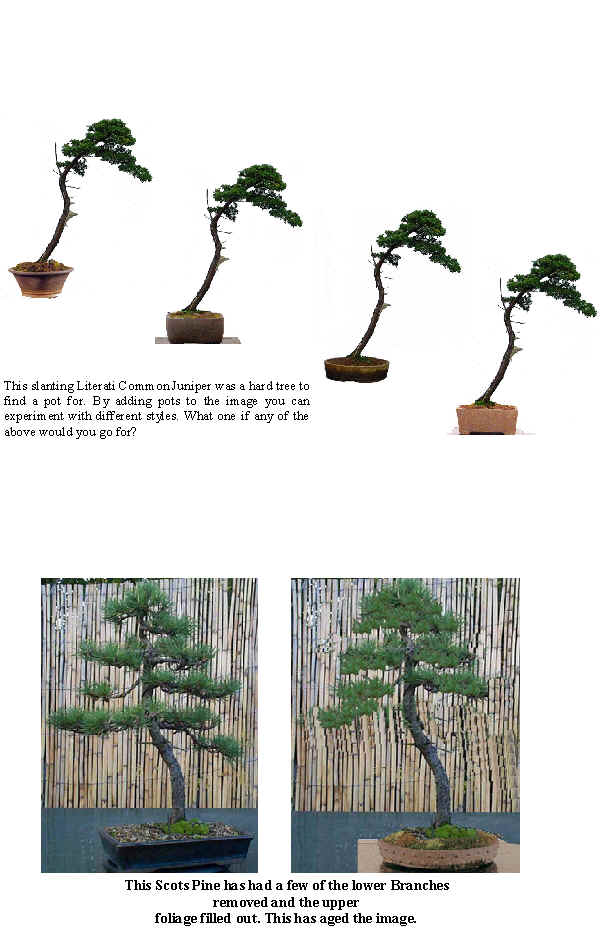
We all have trees with which we struggle to find a perfect pot. You think you have the right one but a year later you are looking for a replacement. Now you can put your tree into as many pots as you like and compare them before making a decision on which pot to buy. You can also share the images with others to see if they agree with your choice, they rarely do!

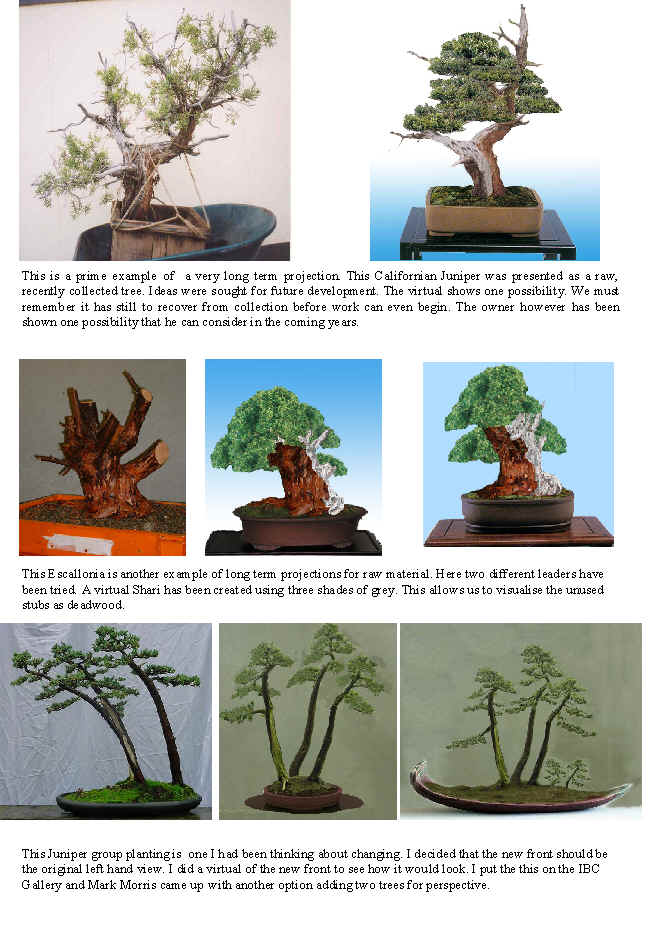
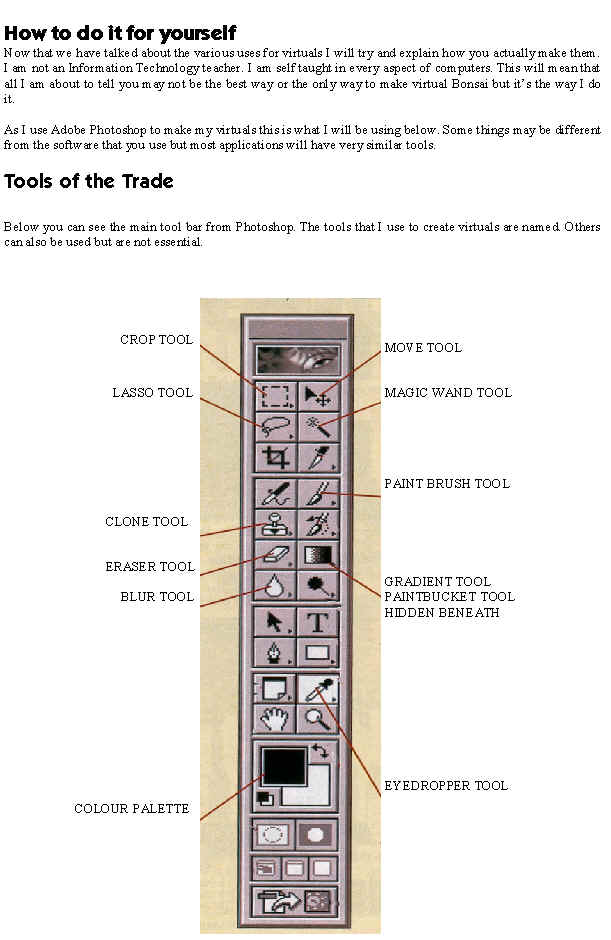
 The main task to complete was to get the branch structure sorted. There where a few poor branches that needed attention. The tip of the cascade was very weak and straight and this was removed and replaced by the branch above. I also wanted to compact the apex and bring it over the base of the tree more. No fine wiring was carried out. We where not looking to create a finished image. The continued recovery of the health of the tree was more important.

 and with foliage added. Perhaps a tad heavy but you get the idea.


 Before Tilt


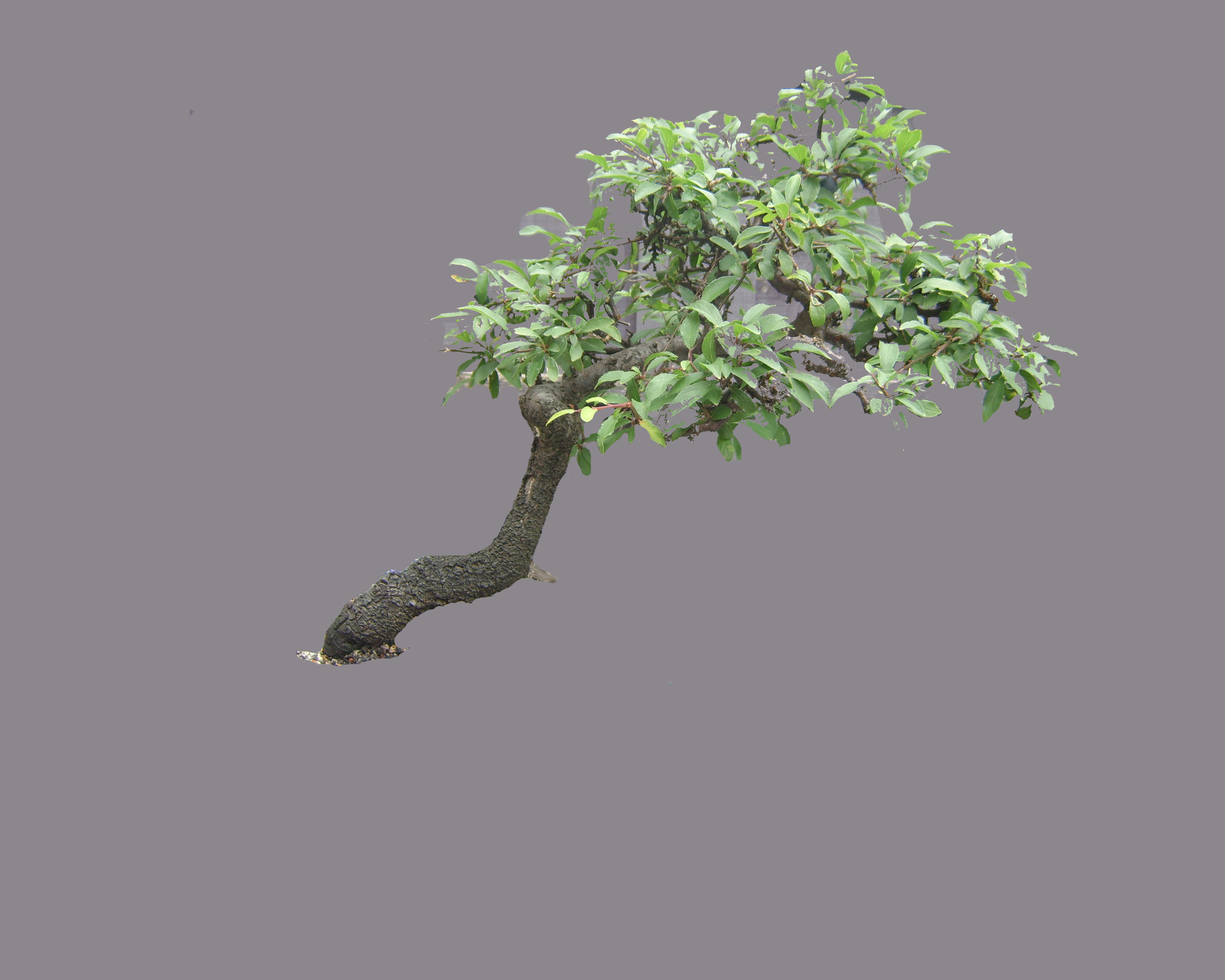

 I liked these but wanted to give Dave a few other ones to help decide what works and what doesn’t. Next, I tried a Rectangle.
 and a coloured glaze.
 and a Walsall Ceramic oval.
 Not a great option either. My next selections were drums. I quite like this first one.
 For the last one I opted to change the potting angle by 15 degrees to a more upright position as a different option.

 However I think the shape of this pot suits the tree better. I suppose personal taste comes into this. I even added a few extra berries 🙂
 Having done the one above I decided to shrink the pot a tad. This , I think, is the best of the 4 options I tried.
 Bonsai Eejit